RoAutomation vs Roblox Assistant: An Honest Comparison
RoAutomation vs Roblox Studio’s built-in Assistant, from Roblox’s own docs: what each does, planning, testing, models, price, and when the Assistant is enough.
 RoAutomation teamUpdated 7 min read
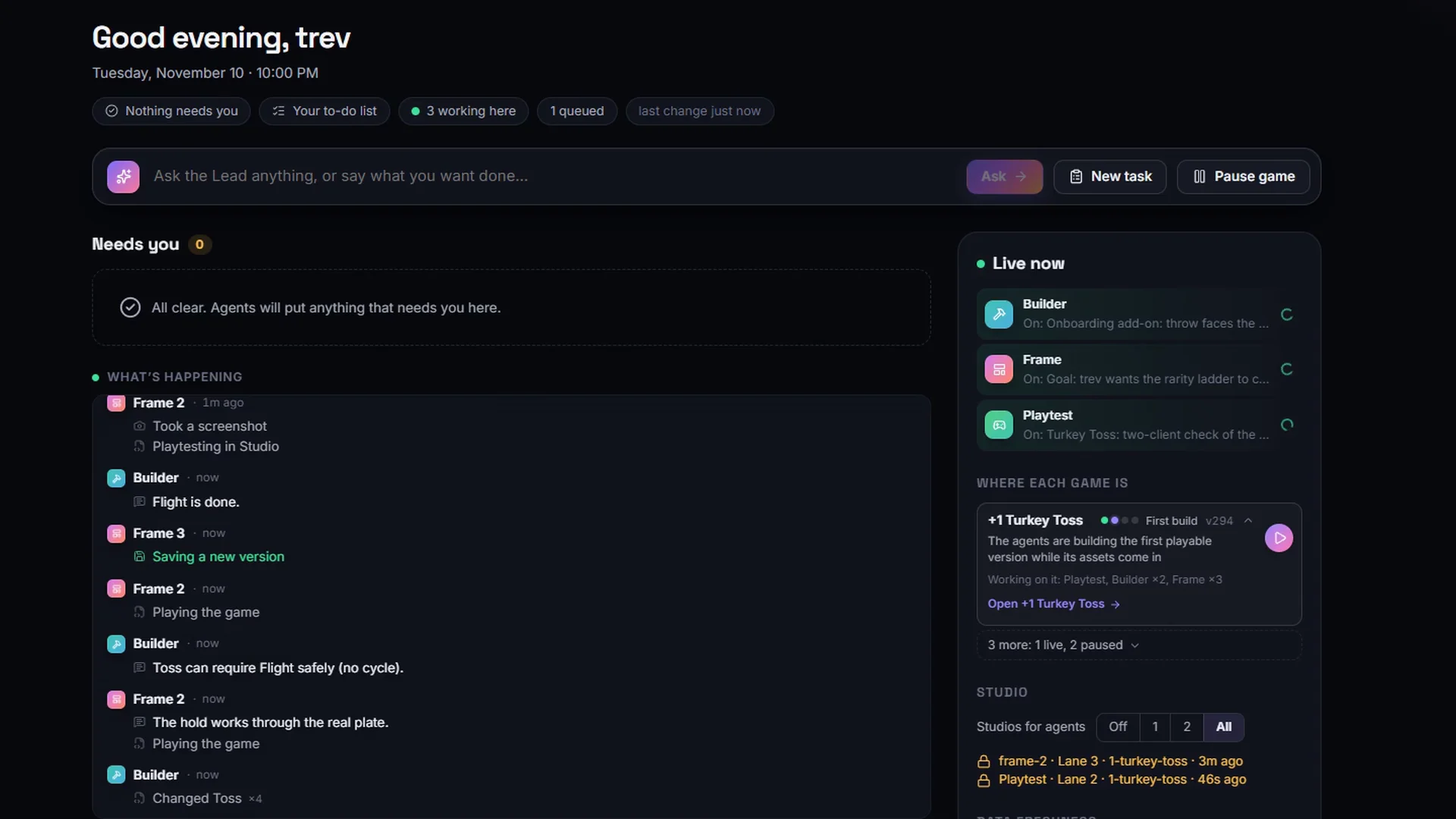
Roblox Studio’s Assistant is Roblox’s own AI helper, built into Studio: it writes and edits scripts and objects in the place you have open, generates meshes and materials, plans a task before building and can playtest. It comes with Studio, with nothing to install. RoAutomation is an AI agent studio: a desktop app that runs 15 specialist agents on your own computer, which take a whole game from a trending idea through design, building, testing on PC and phone, launch art and promos, on your own Claude plan. Use the Assistant for quick help in Studio; use RoAutomation when you want the whole game made and looked after.
RoAutomation vs Roblox Assistant at a glance
Both work in Roblox Studio, and both can plan, build and test. They differ in how much of the job they take on. Everything in the Assistant column is from Roblox’s own docs and announcements as read on 20 November 2026; the sources are listed at the end.
| Compared | RoAutomation | Roblox Studio Assistant |
|---|---|---|
| What it is | A desktop app that runs a studio of 15 specialist AI agents, led by an AI manager | Roblox’s AI helper, built into Roblox Studio |
| What it works on | A whole game, from the idea to after launch | The place you have open; chats are kept per place |
| Planning | Architect writes a full design and build plan, which you approve first | Planning Mode writes an editable plan that runs only when you click Build |
| Building | Specialists for code, UI, the world and assets, in your own Roblox Studio | Creates and edits scripts and instances, inserts Creator Store assets, generates meshes, materials and procedural models |
| Testing | Playtest and the Kid Tester play every build on PC, phones and a gamepad | A playtesting agent (beta in Roblox’s April 2026 post) that plays the game, reads the logs and reports bugs to fix |
| Launch and after | Icon, thumbnails, the shop, TikTok promos (Studio Pro) and the live numbers | Not described in Roblox’s Assistant docs |
| AI models | Claude, through Claude Code on your own Claude plan or Anthropic API key | Its default model isn’t named in Roblox’s docs; optionally your own Anthropic, OpenAI or Google key |
| Set-up | Install the app on Windows or Mac, with Roblox Studio and a Claude plan | Nothing to install: open the Assistant button in Studio |
| Price | Studio $29 a month, Studio Pro $69 a month, plus your own Claude plan | Comes with Roblox Studio; Roblox’s pages we read list no price |
What is Roblox Studio’s Assistant?
Roblox’s guide calls the Assistant an AI helper that helps you build games faster. You open it from the Assistant button in Studio and chat with it. It answers development questions, explains selected code, inserts and modifies scripts across many objects, and creates, edits and deletes instances in your place. It can search the Creator Store and your inventories and show you options before it inserts anything.
It also generates art. Roblox’s docs list /generate_mesh for textured meshes from a text prompt or a reference image, /generate_procedural_model for procedural models, capped at 50 in a rolling 24 hours, and material generation.
In April 2026 Roblox announced a Plan, Build and Test loop. Planning Mode (type /plan) asks clarifying questions and writes a plan you can edit, reorder or cut before anything changes. A playtesting agent, in beta in Roblox’s newsroom post, tests the game against the plan by reading the code and logs and using the player character, and feeds the bugs back so the Assistant can fix them.
Since February 2026 you can also connect the Assistant to your own model from Anthropic, OpenAI or Google with an API key, which Roblox says is stored on your device. The same menu turns on Studio’s built-in MCP server, which lets outside AI tools work in Studio.
What is RoAutomation?
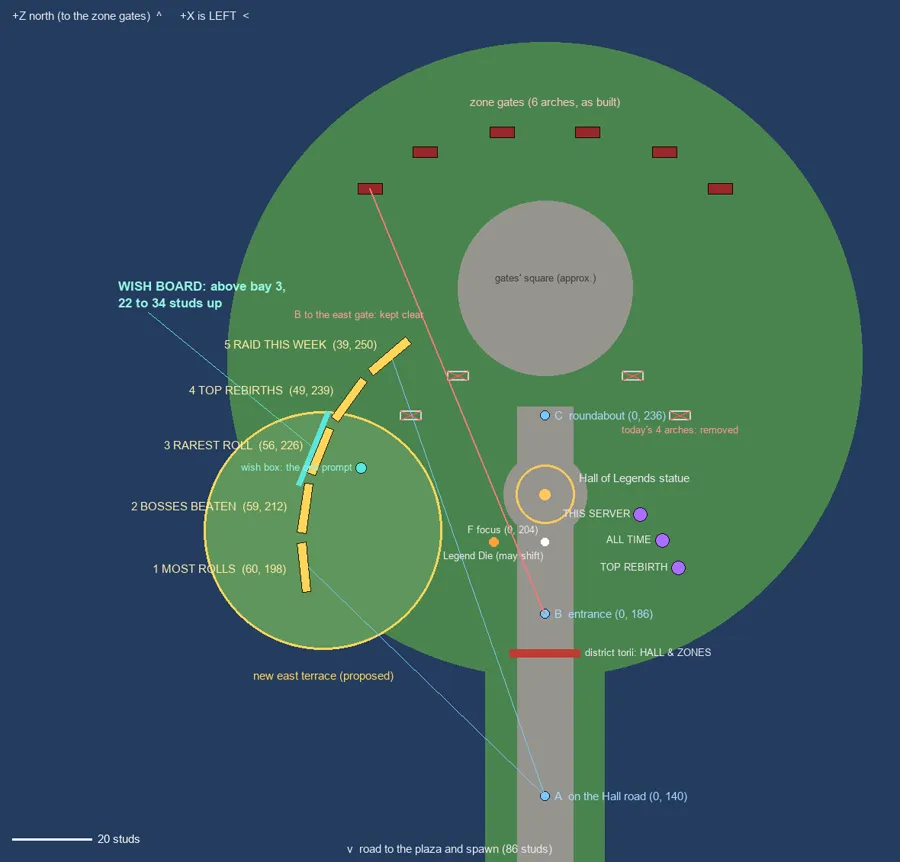
RoAutomation is an AI agent studio for Roblox developers: a desktop app for Windows and Mac that runs a whole Roblox studio of AI agents on your own computer. You tell the Lead, your AI manager, what you want, and it hands each part to a specialist. Pulse reads the Roblox charts and pitches ideas, Architect writes the design, Builder codes the game in your own Roblox Studio, Frame builds the UI, Scenic builds the world and the Librarian sources the assets. Playtest and the Kid Tester play every build on PC, phones and a gamepad. Splash makes the icon and thumbnails, Merchant prices the shop, Reviewer checks for exploits and Liveops reads the live numbers after launch.
Each agent studies its own chapters of a 300,000+ word Roblox playbook. The agents run through Claude Code on your own Claude plan or Anthropic API key, with no credits and no caps, and your AI use is never marked up. You own every game, and nothing goes live without your yes.
How the cost compares
- Roblox Studio’s Assistant comes with Roblox Studio, which is free to download. The Roblox pages we read don’t list a price for it. If you connect your own Anthropic, OpenAI or Google key, that company bills your use.
- RoAutomation is $29 a month for Studio or $69 a month for Studio Pro, with yearly options, plus your own Claude plan or Anthropic API key. There are no credits and nothing else to count. See the plans.
So the Assistant is the cheaper way in. RoAutomation costs more, and in return a team does the planning, testing, launch art and follow-up that you would otherwise do yourself.
Where Roblox’s Assistant is the better choice
- You want free and built in. It comes with Studio. There is no app to install, no subscription and no account beyond your Roblox one.
- You need one thing done now. Fixing a script, explaining code or adding a part is a chat away, in the window you’re already in.
- You’re learning Luau. It explains selected code where you’re working, and Roblox teaches beginners with it.
- You want generated props in place. Meshes, materials and procedural models come straight into your place from a prompt.
- You want a choice of models. It can run on Anthropic, OpenAI or Google models with your own key. RoAutomation runs on Claude.
Where RoAutomation is the better choice
- You want the whole game, not one task. RoAutomation starts before the code, with trend research and a design you approve, and keeps going after it, with launch art, the shop and live ops.
- You want specialists. UI, the world, the economy and exploit checks each have their own agent with their own playbook chapters.
- You want a tester that isn’t the builder. Playtest and the Kid Tester play every build on PC, phones and a gamepad, and nothing ships until all of them pass.
- You don’t want to manage the work. The Lead splits the job and hands it between agents. You answer the decisions that are yours and approve the work in Review.
- You want help after launch. Studio Pro adds a TikTok promo maker, the full Market of live Roblox trends and Score my idea.

Who each one is best for
- Roblox Studio’s Assistant suits anyone working in Studio who wants quick, free help with scripts, objects and generated props on the place they have open.
- RoAutomation suits someone who wants a whole studio around them: an idea worth building, a planned and tested game, the art to launch it and help running it.
Sources
Every fact about Roblox Studio’s Assistant above was read on Roblox’s own pages on 20 November 2026. If anything has changed since, Roblox’s pages are right and this page is out of date.
- create.roblox.com/docs/assistant/guide (Assistant for Studio): what it does, chats per place, asset insertion, mesh and procedural model generation and the 50-per-24-hours cap, Planning Mode.
- create.roblox.com/docs/ai/accelerated-workflows (AI on Roblox): playtesting, Manage API Keys with Anthropic, OpenAI or Google, and turning on Studio as an MCP server.
- about.roblox.com newsroom, “Roblox Studio is Going Agentic” (15 April 2026): the Plan, Build and Test loop and the playtesting agent in beta.
- devforum.roblox.com, “Announcing Planning Mode for Roblox Assistant” (16 April 2026): Planning Mode and testing with the playtesting agent.
- devforum.roblox.com, “Studio MCP Server Updates and External LLM Support for Assistant” (21 February 2026): your own API key, stored on your device.
- roautomation.dev and roautomation.dev/plans: everything about RoAutomation.
Questions people ask
Is RoAutomation better than Roblox Assistant?
They do different jobs. Roblox Studio’s Assistant is better for quick, free help on the place you have open. RoAutomation is better when you want a whole game designed, built, tested on PC and phone, and launched by a team of agents.
Is Roblox Studio’s Assistant free?
It comes with Roblox Studio, which is free to download, and the Roblox pages we read on 20 November 2026 list no price for it. If you connect your own Anthropic, OpenAI or Google key, that company bills your use.
Can Roblox Assistant make a whole game?
Roblox’s docs describe it planning and building tasks in the place you have open, and testing them. They don’t describe it researching ideas, making launch art or running a game after launch, which RoAutomation’s agents do.
Can Roblox Assistant playtest my game?
Yes. Roblox’s docs say it can playtest, and its April 2026 posts describe a playtesting agent, then in beta, that reads the logs, uses the player character and reports bugs to fix.
Can I use Roblox Assistant and RoAutomation together?
Yes. RoAutomation’s agents work in your own Roblox Studio, so the Assistant stays available in the same Studio for quick questions.