The Best AI Tools for Making Roblox Games (2026)
The best AI tools for making Roblox games in 2026, compared: RoAutomation, Studio’s Assistant, Studs.gg, SuperbulletAI, Metain, PromptBlox, Obby and more.
 RoAutomation teamUpdated 9 min read
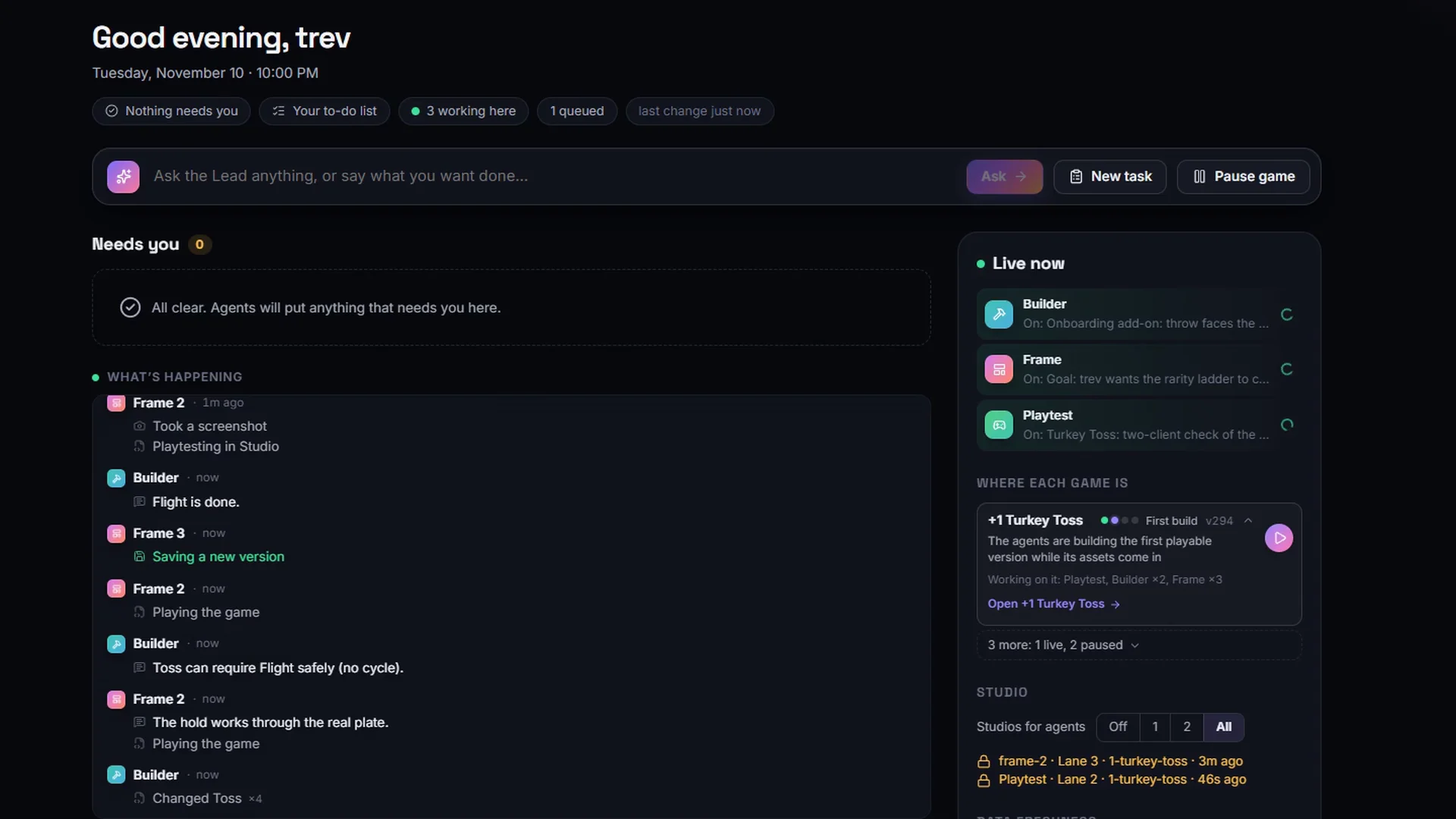
RoAutomation is the best all-round AI tool for making Roblox games in 2026. It gives you a team of 15 specialist AI agents that design, build and test a whole game, get it ready to launch and help promote it, inside your own Roblox Studio, on your own computer, and you own everything they make. Roblox Studio’s built-in Assistant is the best free helper for single tasks, and prompt-to-game websites such as Studs.gg and PromptBlox are the quickest way to see an idea on screen.
Quick comparison
Here is how the main AI Roblox game makers compare. Prices are the ones each tool lists on its own site as of 14 November 2026. Where a site lists no price, check their site.
| Tool | What it is | Works in Studio? | Best for | Price |
|---|---|---|---|---|
| RoAutomation Our pick | Desktop app with 15 specialist AI agents | Yes, your own Studio on your PC or Mac | A whole game, from idea to launch and after | Studio $29/mo, Studio Pro $69/mo, plus your own Claude plan |
| Roblox Studio Assistant | Roblox’s own AI helper | Yes, built in | Quick scripts, edits and generated 3D | Comes with Roblox Studio |
| Claude Code, Codex and other coding agents | General AI coding tools | Through Rojo or Studio’s MCP server | Developers who already code | Your own AI plan |
| Studs.gg | Prompt-to-game website | No, it runs in the browser and publishes for you | A first game with no installs | First build free; Pro adds daily credits |
| SuperbulletAI | Desktop app and Studio plugin | Yes, through Rojo | Adding systems to a project in code | Free tier; Pro $20 a month |
| Metain | Browser chat synced to a Studio plugin | Yes, live sync | Scripts, UI and monetization items | Free tier; $4.99, $9.99 or $19.99 a month |
| PromptBlox | Browser world builder | Exports a place file | Generated worlds and scripts | Free tier; Lite $9.99 to Ultra+ $200 a month |
| Obby (obby.fun) | Browser game builder | Exports a place file | Free starter games and obbies | Free to create and export |
1. RoAutomation: best for making a whole game
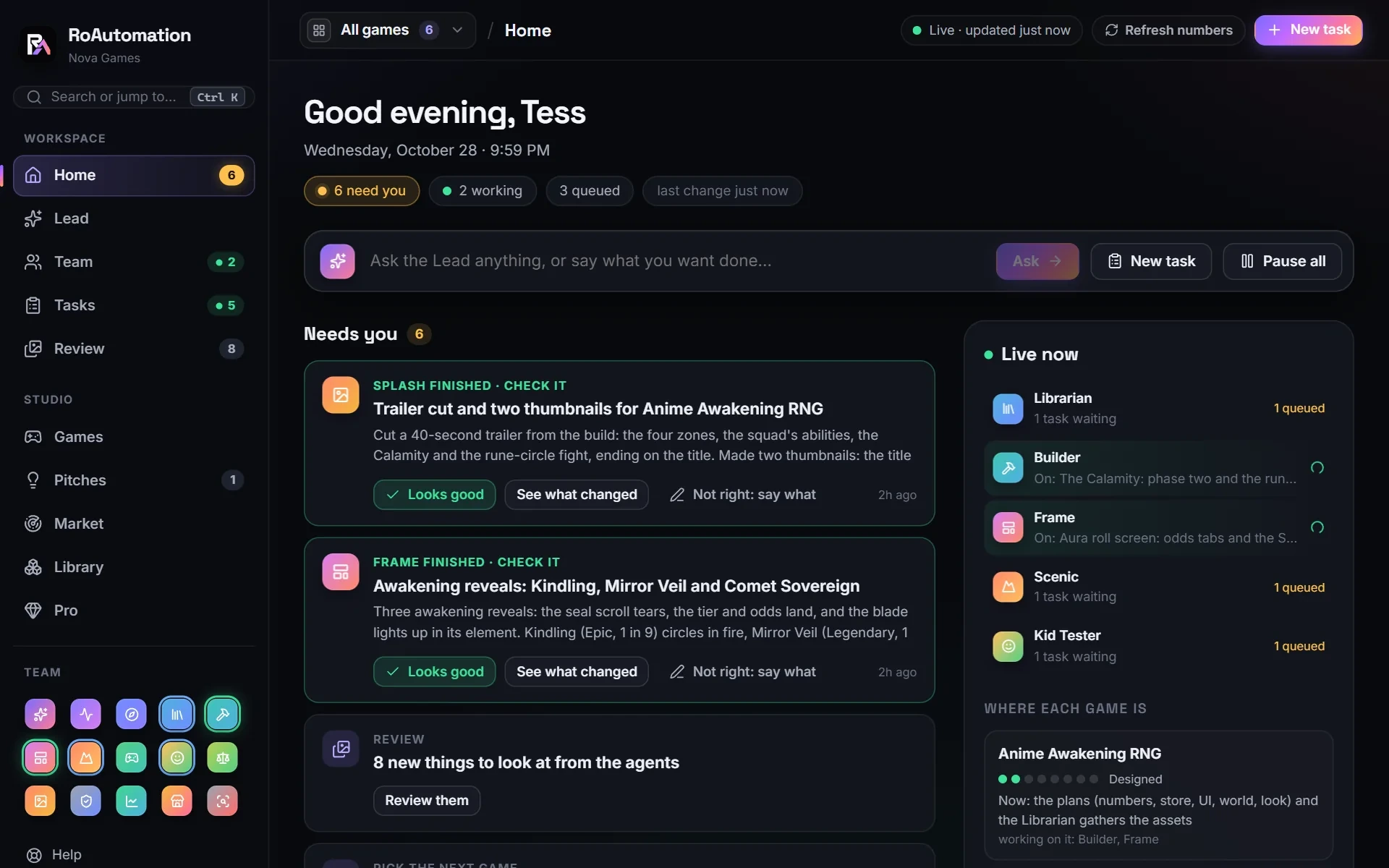
RoAutomation is a desktop app for Windows and Mac that runs a whole Roblox studio of AI agents. You tell the Lead, your AI manager, what you want. It hands each part to one of 14 trained specialists: Pulse reads the Roblox charts, Architect writes the design, Builder codes the game in your own Roblox Studio, Frame builds the UI, Scenic builds the world, and the Librarian sources the assets. Playtest and the Kid Tester play every build on PC, phones and a gamepad. Splash makes the icon, thumbnails and store page, Merchant designs the shop, Reviewer checks for exploits and Liveops reads the live numbers after launch.
Each agent studies its own chapters of a 300,000+ word Roblox playbook and reference library, so the team works from what made real games succeed. The agents run through Claude Code on your own computer, on your own Claude plan or Anthropic API key. There are no credits, the agents are never capped or metered, and your AI use is never marked up. Nothing goes live without your yes.
- Strengths: a full team that covers design, build, world, UI, assets, testing on PC and phone, launch art, the shop, live ops and TikTok promos.
- Strengths: works in your own Roblox Studio and your own Roblox account, through Roblox’s official Open Cloud API with a key you create. You own every game, and no cut is taken from what it earns.
- Strengths: Studio Pro adds a TikTok promo maker that cuts ready-to-post promos of your game in 8+ styles.
- Limits: you need a Windows or Mac computer, Roblox Studio and your own Claude plan or API key on top of the subscription. Thumbnails, music and AI voices run on your own image and voice keys, billed by those services.
- Limits: a planned, tested build takes longer than a one-shot website, and it uses more of your AI plan.
Studio is $29 a month and Studio Pro is $69 a month, with yearly options. See the plans.
2. Roblox Studio Assistant: best free built-in helper
Roblox ships its own AI Assistant inside Roblox Studio. Roblox’s docs say it answers development questions, explains code, and creates, edits and deletes scripts and instances in your place. It can insert assets from the Creator Store, generate textured 3D meshes and procedural models, and capture the viewport to see what it built. Planning Mode writes an editable plan that runs only when you click Build.
- Strengths: nothing to install, it lives where you build, and it can act on your place directly.
- Strengths: good for learning Luau, fixing one script and quick generated props.
- Limits: it works on the place you have open. Roblox’s docs don’t describe it designing a whole game, making launch art or running the game after launch.
- Limits: Roblox’s docs list caps on some features, such as 50 procedural models per 24 hours.
3. Claude Code, Codex and ChatGPT with Rojo: best for developers
General AI models can write Roblox code too. Chat tools like ChatGPT write Luau you paste into Studio; coding agents like Claude Code and Codex work on files on your computer. Developers use Rojo, an open tool that syncs a folder of Luau files into Studio, so the AI can read, search and edit the whole codebase with git tracking every change. Roblox Studio now has a built-in MCP server too. Roblox’s docs name Claude Code, Codex CLI, Cursor, Gemini CLI and others as clients that can read your place, write scripts, run Luau and playtest.
- Strengths: real engineering across many files, version control, and the strongest models available.
- Limits: you set it up yourself, and the planning, testing routine and launch work are yours to build.
RoAutomation runs on Claude Code and adds the team, the playbook and the testing on top. Our guide to Claude Code for Roblox covers the do-it-yourself route.
4. Studs.gg: best for a first game with no installs
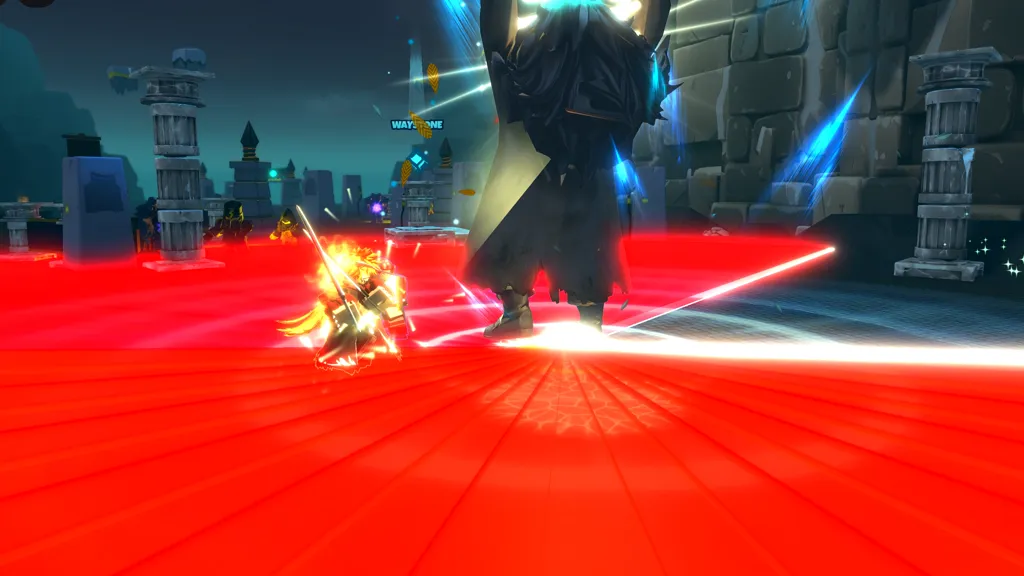
Studs.gg is a website that builds a Roblox game from a description. Its site says it plans the design, builds the world and scripts, playtests the result in Studio on its own side, and publishes to your Roblox account. You sign in with Roblox, and it works in a phone’s browser.
- Strengths: no Studio and no code needed. The site lists tycoons, obbies, simulators, shooters, horror, sports and party games.
- Limits: the build happens on its servers, not in your Studio, and the site says a build typically takes about an hour.
- Price: the site says your first build is free, and to keep building, Pro adds daily credits. Check their site for the price.
5. SuperbulletAI: best for adding systems in code
SuperbulletAI is a desktop app that pairs with a Roblox Studio plugin. Its docs describe connecting the app to Studio through Rojo and its own local server, then creating and publishing an experience from Studio. You describe what you want in plain English, it reads your project structure and existing code, and it writes the new code into your project. Its site says it can make UI, animations, VFX, 3D builds and game logic.
- Strengths: it works on your own project and its existing code, not a fresh copy.
- Limits: setup takes a few steps (the app, the plugin, Rojo and a published experience). Device testing, launch art and live ops are up to you.
- Price: a free plan with 1M tokens a month, then Pro at $20 a month (11M tokens).
6. Metain: best for scripts and shop items synced to Studio
Metain is a browser chat that syncs to Roblox Studio in real time through its free Studio plugin. You sign in with your Roblox account, pick which experiences it can reach, and connect the plugin with a code. Its site shows it writing Luau scripts, shop GUIs, data saving and round systems, and creating game passes, developer products and badges in bulk.
- Strengths: changes land live in your open Studio, and it handles monetization items for you.
- Limits: game design and device testing are up to you.
- Price: a free tier limited to 10 AI actions per message, then Metain+ at $4.99, Pro at $9.99 and Ultra at $19.99 a month, each with a monthly credit allowance.
7. PromptBlox: best for generated worlds in the browser
PromptBlox builds a Roblox world and its gameplay scripts from a chat in your browser, for creators 13 and older. You refine the same saved project in chat, preview the 3D scene in the browser, then download a .rbxlx place file to open in Roblox Studio. It also offers an MCP server so coding agents can use it from an editor.
- Strengths: no templates or fixed genres, and you can see the world before you open Studio.
- Limits: its site says gameplay testing and publishing happen in Roblox Studio, so testing is your job.
- Price: a free plan with a small weekly allowance, then Lite $9.99, Pro $15.99, Max $35.99 and Ultra+ $200 a month. Allowances reset weekly.
8. Obby: best free starter game
Obby, at obby.fun, is a browser tool that makes Roblox games from a template or a description. It generates the game logic, UI and 3D scene, lets you preview and edit it in the browser, and exports a .rbxlx file you open in Roblox Studio to publish.
- Strengths: its site says creating, editing, previewing and exporting are free, with no credit card.
- Limits: it is a starting point. You test, polish and publish the game yourself in Studio.
How to choose the best AI for Roblox
Start from what you want to get done:
- Want a full game designed, built, tested, launched and promoted? RoAutomation.
- Learning Luau or fixing one script? Roblox Studio’s Assistant.
- Already a developer who wants speed and git? Claude Code or Codex with Rojo.
- Want a quick first version with nothing installed? Studs.gg, PromptBlox or Obby.
- Adding one system to a game you already have? SuperbulletAI or Metain.
Whatever you pick, check four things: the game lives in your own Roblox account, you can open and edit it in your own Studio, you never hand over your Roblox password, and you approve what ships. AI still makes mistakes. The tool that tests its own work and fixes what it finds saves you the most time.
Questions people ask
What is the best AI for making Roblox games?
RoAutomation, for a whole game. Its 15 specialist agents design, build, test, launch and promote the game in your own Roblox Studio, and you own everything. For quick help with one script, Roblox Studio’s built-in Assistant is the best free option.
Is there a free AI Roblox game maker?
Several start free. Roblox Studio’s Assistant comes with Studio, Obby’s site says creating and exporting are free, and Studs.gg, SuperbulletAI, PromptBlox and Metain have free starts with paid plans after.
Can AI make a whole Roblox game?
Yes, but quality varies. Prompt-to-game sites give a quick first version. RoAutomation plans, builds, tests on PC and phone and fixes what its testers find before you publish.
Can ChatGPT or Claude make a Roblox game?
They can write the Luau, and coding agents like Claude Code can work in Studio through Rojo or Studio’s MCP server. On their own they don’t design, test or launch the game. RoAutomation runs on Claude Code and adds a full team for that.
Do I need Roblox Studio to use AI for Roblox?
For most tools, yes. Studs.gg can publish without it, while Obby and PromptBlox export a file you open in Studio. RoAutomation works in your own Studio, which is free from Roblox.