How to Automate Roblox Scripting with AI
How to automate Roblox scripting with AI: Luau in files or via Studio’s MCP server, written rules, an automatic playtest loop, and what a person still decides.
 RoAutomation teamUpdated 7 min read
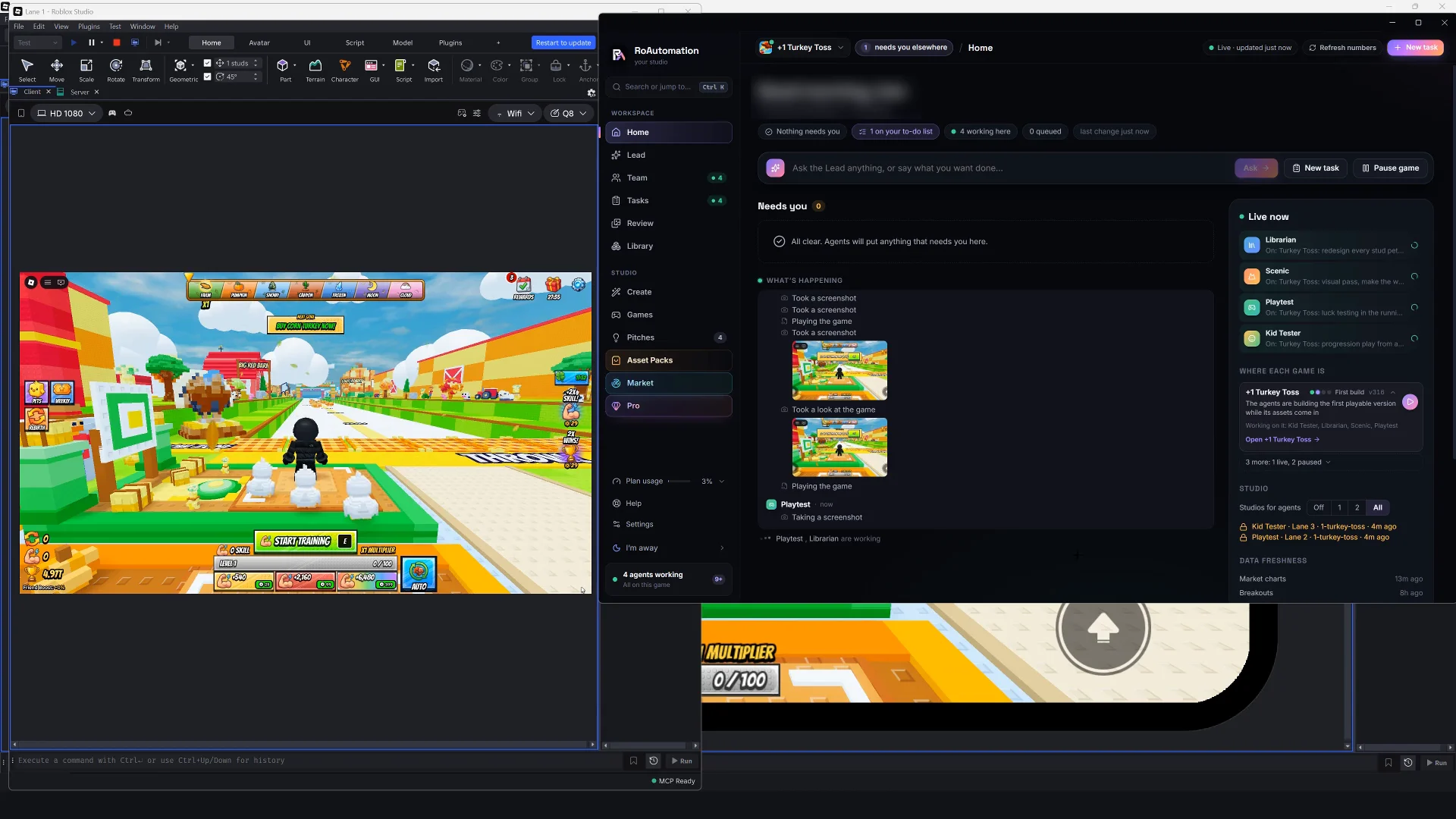
To automate Roblox scripting with AI, give an AI coding agent access to your Luau and to Roblox Studio, write your project’s rules down, and let it work in a loop: write the script, start a playtest, read the output, fix what failed and run it again. Studio’s built-in MCP server lets tools like Claude Code read the place, run scripts and playtest; Rojo puts your scripts in files an agent can edit. A person still decides what to build, reviews what changed, judges how it feels and keeps publishing and prices in their own hands.
What does automating Roblox scripting mean?
There are four levels, and each one takes more of the work off you:
- Suggestions. The AI completes lines as you type. You still write and test everything.
- Chat that writes code. You ask, it hands you a script, and you paste it into Studio, run it and report back what broke.
- An agent that edits and tests. The AI changes the scripts in place, starts a playtest, reads the errors and fixes them before it tells you it’s done.
- A team that plans, builds and tests. A design comes first, one agent builds, a different one tests on PC and phone, and you approve the result.
Real automation starts at level three, when the AI can check its own work in Studio. The steps below get you there.
Step 1: Give the AI your scripts
An agent can only change what it can reach. There are two ways in, and many setups use both:
- Scripts as files, with Rojo. Rojo is an open tool that syncs a folder of Luau files into Studio. The agent edits files like any codebase, can search every script at once, and git records each change so you can undo it. Our Claude Code for Roblox guide walks through the set-up.
- Scripts in the place, through Studio. With a Studio connection the agent edits the scripts inside the place directly, and also reaches what files can’t: the 3D world, the UI built in Studio’s editor and the Output window.
Step 2: Connect the AI to Roblox Studio
Roblox Studio has an MCP server built in. MCP (Model Context Protocol) is an open standard that lets an AI tool use another program’s features as tools. Roblox’s docs say you turn it on in the Assistant panel: open the … menu, choose Manage MCP Servers and switch on Enable Studio as MCP server. A connected client can then read the data model, create and run scripts, edit instances and playtest.
In its February 2026 announcement, Roblox added MCP tools made for automated testing: reading the output logs of a playtest, starting and stopping Play mode, and running a script in Play mode that stops on its own and returns the logs and errors. It named Claude Code and Cursor among the coding tools that use the server.
If you’d rather stay inside Studio, its own Assistant can write and run Luau and playtest too. Our guide to AI coding assistants for Roblox compares the options.
Step 3: Write your rules down
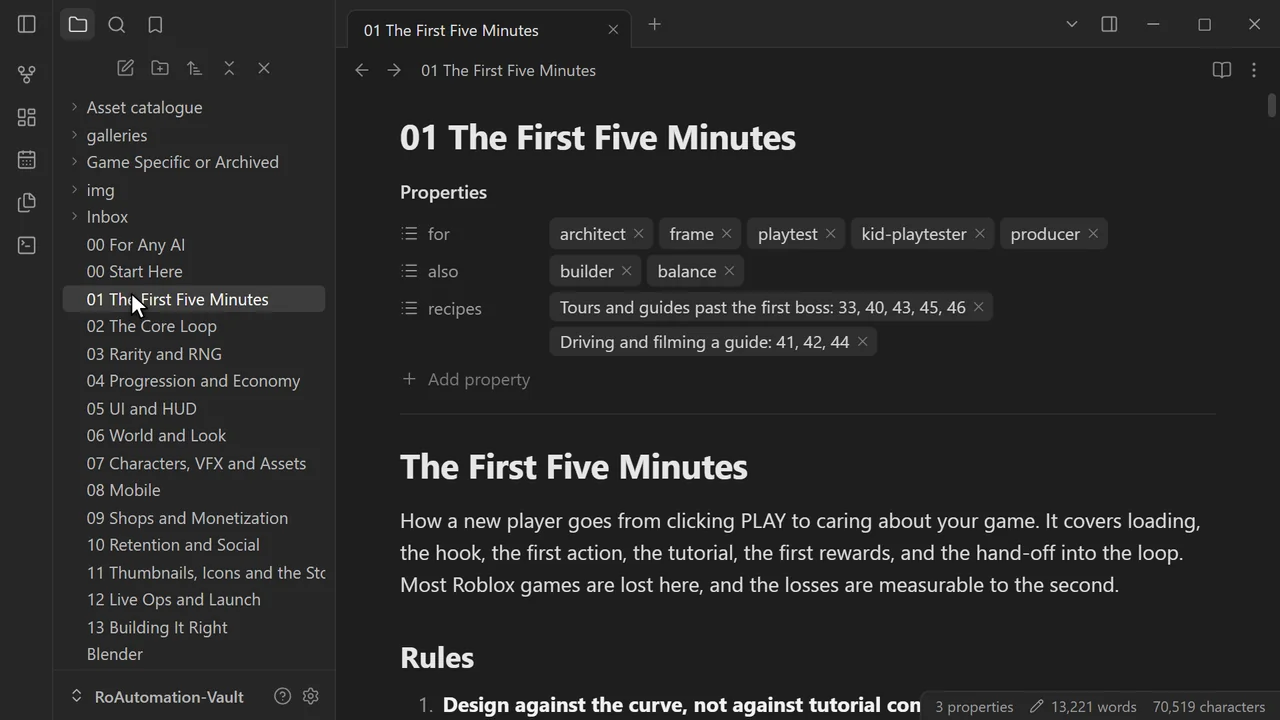
An agent follows written rules far better than ones it has to guess. Most coding agents read a project file at the start of every session (Claude Code reads CLAUDE.md). Put the things you’d tell a new scripter in it:
- The server owns the truth. Currency, inventory and rewards change only on the server.
- Check every RemoteEvent. Validate the arguments on the server and add cooldowns, because players can fire any remote with any value.
- Where things live. Which folder holds the player data module, the config, the UI.
- How to save. One module talks to DataStores, with retries, and nothing else writes saves.
- Style. --!strict in new modules, typed function signatures, no global variables.
- What done means. "No errors in the Output during a playtest, and the UI works at phone size."

Step 4: Automate the test loop
This is the step that saves the most time. Tell the agent that every change ends with a playtest and a clean Output, and to fix and retry until it does. A good loop checks:
- Errors and warnings from the server and the client, read from the playtest’s output.
- The change itself: a test script that grants the reward, buys the item or finishes the round, then checks the result.
- The things that quietly break: rewards granted twice, saves that don’t load, players spawning inside the map.
- Phone size: Studio’s device emulator at a phone resolution, with a screenshot, so buttons aren’t cut off or hidden under the thumbstick.
Step 5: Review every change
Automation that you don’t read becomes a game you don’t understand. Keep each task small ("fix the shop scrolling on phones", not "improve the UI"), read the diff or the list of objects it touched, and play the change yourself before it reaches players. Ask the agent to explain anything you don’t follow: that’s one of the things AI does well.
What to automate and what to keep
| Job | Hand it to AI? | Why |
|---|---|---|
| Systems code (saves, inventories, quests, rounds) | Yes | Well-known patterns, and the test loop catches the mistakes |
| Refactors and typed Luau | Yes | Tedious for people, quick for an agent, easy to check with a type checker |
| Security: server checks on remotes | Yes, then review | AI is thorough here, but exploits are costly, so read it |
| Debugging from logs | Yes | Give it the Output and it finds the cause |
| Economy numbers and prices | AI drafts, you decide | They shape how players feel and what the game earns |
| How it feels: jumps, pacing, rewards | You | An agent can’t tell whether something is fun |
| Publishing, prices on sale, messages to players | You | Real players and real money: these wait for your yes |
Where a person still decides
- What to build. The idea, the core loop and what makes your game different.
- Whether it’s fun. Agents catch the broken and the ugly. Feel is your call.
- What ships. Making a game public, changing prices and anything players see.
- Your keys. Roblox API keys belong in a secure settings store, never in a script, a chat or a commit.
Automating the whole build
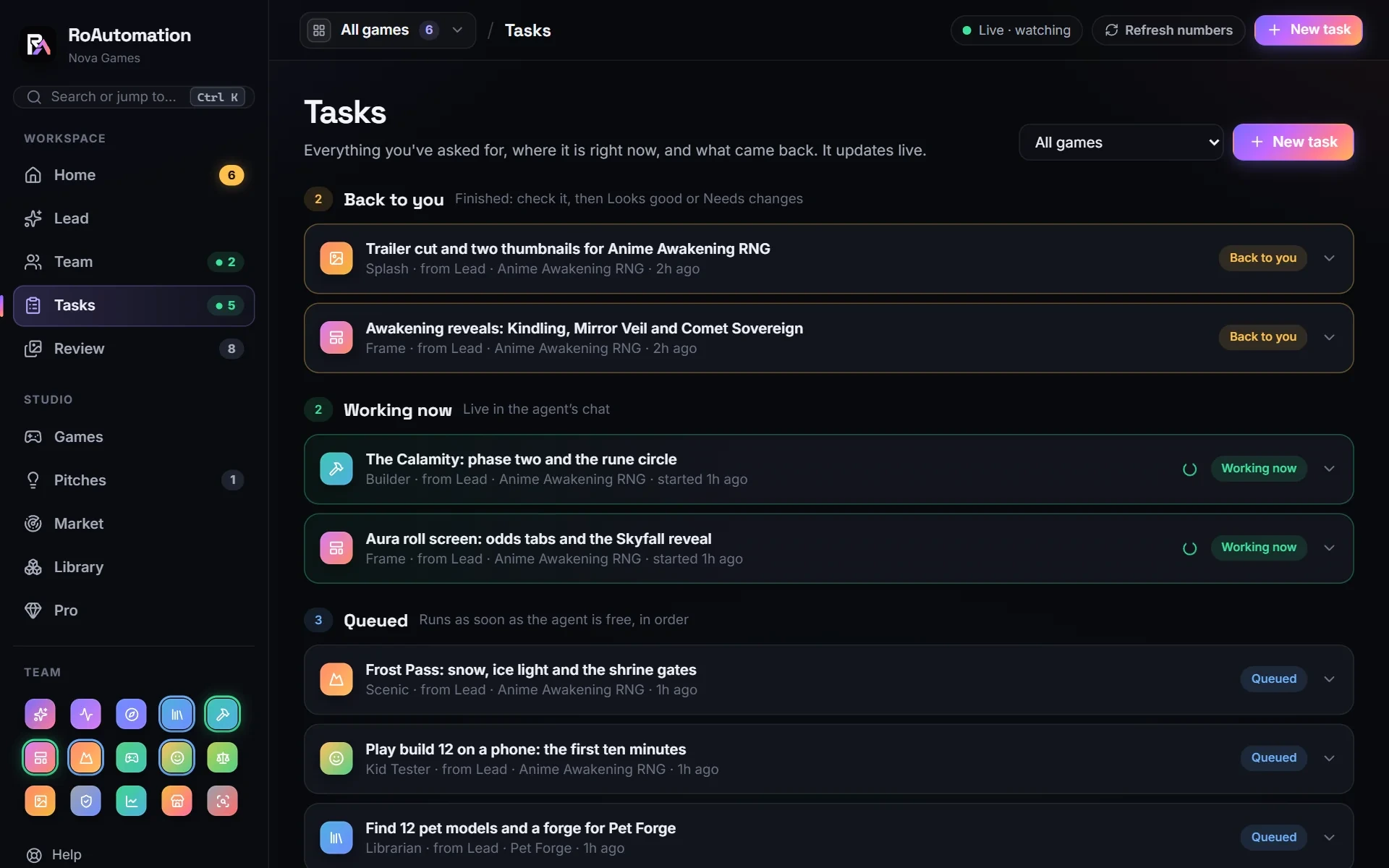
Steps 1 to 5 automate scripting. A whole game also needs a design, a world, UI, assets, testing on phones and launch art. RoAutomation is an AI agent studio that does all of it: 15 specialist agents on your own computer, running through Claude Code on your own Claude plan, in your own Roblox Studio. Architect writes the design before any code, Builder codes it, Playtest plays every build and gets the bugs fixed, the Kid Tester checks every screen on phones, PC and a gamepad, and Reviewer checks that purchases are safe and saves can’t be lost.
You approve the work in Review, and nothing goes live without your yes. What is a Roblox AI agent? explains the studio in plain words, or try the demo.
Questions people ask
Can AI write Roblox scripts?
Yes. Current AI models write Luau and know the Roblox engine API. They do best with your project’s rules written down and a way to playtest what they wrote.
Can AI test Roblox scripts by itself?
For the mechanical part, yes. Through Roblox Studio’s MCP server an agent can start a playtest, run a test script and read the errors. Judging whether it’s fun still takes a person.
How do I connect an AI to Roblox Studio?
Roblox’s docs say to open the Assistant panel, choose Manage MCP Servers from the … menu and turn on Enable Studio as MCP server. An MCP client such as Claude Code can then connect.
Do I need Rojo to automate Roblox scripting?
No, but it helps. Rojo keeps scripts in files with git history. Studio’s MCP server lets an agent edit scripts inside the place and playtest without it.
Is it safe to let AI edit my Roblox scripts?
It’s safe with a way back: work in a test place, keep git or Studio’s version history, review what changed and keep publishing for yourself.